


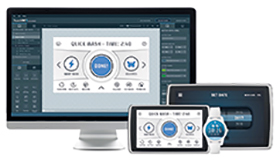
The TouchGFX team at STMicroelectronics recently published TouchGFX Documentation, a website that targets developers working on their first embedded graphical user interface (GUI) as well as those with years of experience. It’s the fruits of months of hard work by the entire TouchGFX team to show what makes embedded GUIs unique and spread the same passion for graphics on microcontrollers to its community. The company’s teams are already working on the next version of TouchGFX Documentation and readers can also expect videos to supplement future content.
Embedded GUI developments are complex, the subject matter is arcane and resources are sparse. And yet, we expect to see a significant rise in the number of embedded GUIs in 2020 as customers demand more interactivity and accessibility, which means that companies must either make substantial investments to acquire the talent they need or rely on tools like TouchGFX that demystify embedded GUIs.
The framework plays a unique role in the industry as recently seen during the Arm Design Contest 2019, when out of the seven projects from burgeoning university students that put a GUI forward, six used TouchGFX. TouchGFX 4.13 made things even easier thanks to the new TouchGFX Generator that integrates with STM32CubeMX. Nevertheless, ST’s teams understood there was a need for a much more fundamental level when developing embedded GUIs.
The ‘Getting Started’ section guides readers as they set up their system and TouchGFX Designer offers application templates for any ST development boards geared for graphics uses, which is why it is not advised that readers buy something new if they already have one on hand. However, for those that are new to the subject matter and do not already have a board, the STM32H7B3I-DK is recommended. Its 1,4 MB of RAM is large enough to store a framebuffer, which can make developments more straightforward, and its 4,3” display with a resolution of 480 x 272 is ubiquitous in the industry, thus making it a fantastic starting point.
The ‘Hardware Selection’ and the Development chapter as a whole explores the intricacies of the specification that engineers must consider when choosing their final GUI-related components and peripherals. It even looks at display interfaces, from RGB-TFT to SPI, or MIPI-DSI, among many others, to explain their intricacies and their impact on the final product. It also delves into memory interfaces. Even if this is not in direct relation to the use of the TouchGFX framework itself, it is an essential topic for novices and experts alike. Hardware selection also aims to offer crucial pointers for teams moving from an ST development board to custom hardware.
The documentation explores ‘Board Bring Up’, which consists of initialising the GUI-related aspects of the hardware. STM32CubeMX handles the MCU configuration while the TouchGFX Documentation gives guidelines to help set up external components, like the RAM, the touch controller, or physical buttons. It is crucial because it will serve as the foundation for subsequent operations and applications, which is why this is such a vital part of this process. Engineers can thus save a lot of time and resources if they use an STM32 evaluation kit and an application template for their proof of concept because it handles all the board bring up aspect.
TouchGFX Documentation moves on to TouchGFX abstraction layer (AL) development, which sits on top of the board bring up and offers an abstraction layer to developers to help them code their application faster. Put simply, it sits between the hardware and the TouchGFX engine that drives the user interface. TouchGFX Generator generates most of the AL code and can also guide users in the creation of empty functions that developers can populate later. The application template also takes care of this layer, which further asserts its usefulness when building a proof of concept or when looking for a reference implementation.
The TouchGFX Documentation can read both as a textbook or as the story of a seasoned engineer looking to build an embedded system with graphic capabilities. Anyone currently working from home or looking for educational content during this pandemic can thus follow along or jump to specific sections, and still get tremendous benefits. Its use of templates and existing tools makes it practical.
TouchGFX Documentation can be accessed via the short URL www.dataweek.co.za/*apr20-touchgfx






© Technews Publishing (Pty) Ltd | All Rights Reserved
 printer friendly version